Creating videos used to be difficult.
CLICK BELOW to Watch Video
You needed a camera, microphone, lights, editing software, and the confidence to appear on screen. For many beginners, that was enough to avoid video altogether.

But video matters.
It attracts attention. It builds trust. It helps explain products, services, tutorials, and ideas in a way that text alone cannot always do.
AI has changed the process. Today, tools like Pictory make video creation much easier for creators, bloggers, affiliate marketers, coaches, and small business owners.
You can now turn written content into polished videos without filming yourself, learning complicated editing software, or spending days trying to make everything look professional.
Why Video Is So Powerful
People like to watch and listen.
A blog post can teach. An email can build trust. But a video can bring your message to life.
Video can help you:
- Explain an idea quickly
- Demonstrate a product
- Promote an affiliate offer
- Share tips from a blog post
- Create YouTube content
- Make short clips for social media
- Add variety to your online business
This is especially helpful if you want to reach people who would rather watch a short video than read a long article.
How Pictory Makes Video Creation Easier
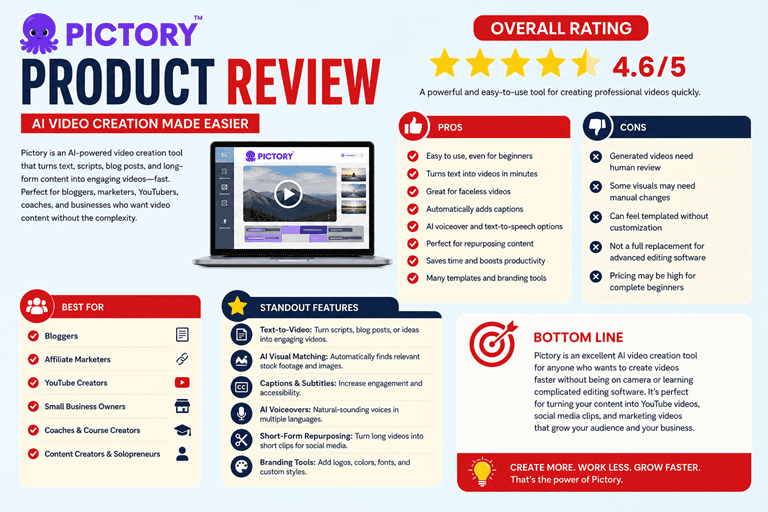
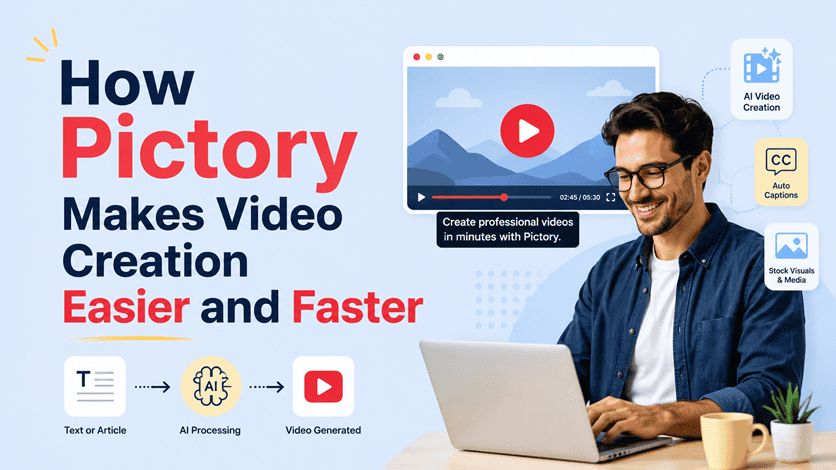
Pictory is an AI video creation tool that can turn text into ready-to-share videos. You can start with a script, article, prompt, or written idea, and Pictory helps create a video with visuals, captions, music, and voiceover options. Pictory says its text-to-video tool can turn written content into fully produced videos with automated editing, visuals, and voiceovers.

That is a big help for beginners.
Instead of starting with a blank video timeline, you start with words. Pictory helps match your text with relevant visuals and scenes. You can then review the video, make changes, adjust the style, and prepare it for platforms like YouTube, Instagram, TikTok, Facebook, LinkedIn, X, or your website.
You do not have to be a designer.
You do not have to be an editor.
You do not have to appear on camera.
That makes Pictory a strong option for faceless video creation.
What You Can Create With Pictory
Pictory can be used for many types of online content.
You might use it to create:
- YouTube videos
- Short social media clips
- Blog post summaries
- Product explainer videos
- Affiliate product videos
- Course lesson videos
- Lead magnet videos
- Email marketing videos
- Website welcome videos
- Quick educational tips
If you already have blog posts, articles, checklists, or email content, you do not have to start from scratch. You can repurpose that material into video.
That is where Pictory becomes especially useful.
One blog post can become a YouTube video.
One YouTube video can become short clips.
One script can become several pieces of content.
This gives your ideas more reach without forcing you to create everything from the beginning.
Pictory Voiceovers and Captions
Voiceover is often one of the hardest parts of video creation.
Some people do not like recording their own voice. Others do not have a good microphone or a quiet room. Pictory helps solve that by allowing users to record their own voice, upload a voiceover, or choose AI voices.
Captions are also important.
Many people watch videos with the sound off, especially on social media. Captions make your videos easier to follow and can keep viewers engaged longer. Pictory offers dynamic captions that can sync with voiceovers so spoken words appear clearly as the video plays.
This helps your video feel more polished.
It also makes your message easier to understand.
Keep Your Videos On Brand
Branding matters.
If every video looks completely different, your content may feel scattered. Pictory offers Brand Kit features that let you manage visual settings such as fonts, caption styles, colors, music, and preferred AI voices. Applying a Brand Kit can update caption styling and background music in a project.
That can save time.
It also helps your videos look consistent across YouTube, social media, and your website.
Why Pictory Works Well for Affiliate Marketers
Affiliate marketers need content that explains, educates, and builds trust.
Pictory can help turn product reviews, comparison posts, tutorials, and buying guides into videos. For example, you could create a video called “3 Email Tools for Beginners” or “How This AI Tool Saves Time for Content Creators.”
Then you can include your affiliate links in the video description, blog post, or email follow-up.
The goal is not to push links.
The goal is to help people understand the product and decide whether it is right for them.
A Simple Pictory Workflow
Here is a simple way to use Pictory:
- Choose a blog post, script, or product demonstration.
- Paste the text or blog post URL into Pictory.
- Let the tool create scenes and visuals.
- Add or adjust the voiceover.
- Review the captions.
- Add your branding (Optinal).
- Export and publish.
You can use this process for weekly videos, short clips, product explainers, or simple educational content.
Final Thoughts
AI-powered video tools have made video creation much more accessible.
With Pictory, you can turn ideas, scripts, blog posts, and articles into engaging videos without needing advanced technical skills. You can add visuals, captions, music, branding, and voiceovers faster than traditional editing would allow.
This is a major advantage for online business owners.
You can create more content. You can reach more people. You can build trust in a format your audience already enjoys.
Video no longer has to feel intimidating.
With the right tools and a clear message, you can turn your ideas into media that helps grow your brand, promote your offers, and support your online income.
What's your biggest challenge with affiliate/email marketing? Let me know in the comments, and I'll do my best to help.
Learn how to grow your email list in less than 4 hours with step-by-step, expert guidance in six short and simple lessons.
Start the course now