Faceless videos are one of the easiest ways to create content without appearing on camera.
Click Below to Watch Video
They work especially well for affiliate marketers, bloggers, content creators, and online business owners who want to promote products, teach quick tips, or share helpful ideas without recording themselves.

The challenge is that many people think video creation is complicated. They imagine cameras, lighting, microphones, editing software, and hours of work.
That is where Pictory can help.
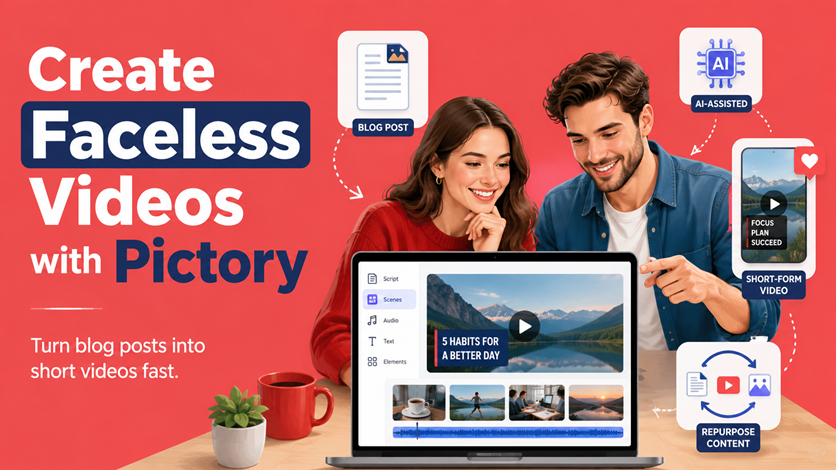
Pictory is an AI video creation tool that can turn scripts, blog posts, URLs, images, and other content into videos. For anyone who wants to create faceless short-form videos, it can make the process much faster and easier.
Instead of starting from a blank screen, you can start with a blog post, product review, affiliate article, short script, or simple idea. Pictory helps turn that content into a video with visuals, captions, music, and voiceover options.
Why Pictory Works So Well for Faceless Videos
Faceless videos do not require you to be on screen.
That means your content can be built around:
Product images
Stock video clips
Screen recordings

Text overlays
Captions
AI voiceovers
Blog post summaries
Step-by-step tutorials
Product demonstrations
This is exactly the kind of content Pictory is designed to help create.
For example, if you have a blog post about a portable blender, Pictory can help you turn the main points into a short video. You can show visuals of smoothies, healthy ingredients, kitchen scenes, product-style clips, and captions explaining the benefits.
If you are promoting an AI writing tool, you could turn your review or tutorial into a faceless video using screen-style visuals, captions, and a voiceover.
The goal is simple: take helpful written content and turn it into video content people can watch quickly.
Start With a Simple Script
The easiest way to use Pictory is to start with a short script.
Your script does not need to be complicated. For short-form videos, aim for one clear idea.
A simple structure is:
Hook
Problem
Solution
Benefit
Call to action
For example:
“Struggling to make quick healthy meals? A portable blender can help you make smoothies in minutes, even when you are busy. It is easy to use, simple to clean, and great for meal prep. Want to see the one I recommend? Check the link in the description.”
That short script can become the foundation of a faceless video.
Pictory can help match your script with visuals, add captions, and create a polished video without requiring advanced editing skills.
Turn Blog Posts Into Videos
One of the best ways to use Pictory is to repurpose blog content.
If you already write blog posts, product reviews, listicles, tutorials, or affiliate articles, you have plenty of video material.
For example, a blog post titled “5 Kitchen Gadgets That Save Time” could become five separate short videos. Each video could focus on one gadget, one benefit, and one call to action.
A post about “Faceless Short Form Videos” could become several videos, such as:
How to create videos without showing your face
Best products to promote with faceless videos
How to use captions in short videos
Why faceless videos work for affiliate marketing
How AI makes video creation easier
This gives your blog content a longer life.
Instead of publishing once and stopping there, you can turn each post into short videos for YouTube Shorts, TikTok, Instagram Reels, Facebook Reels, Pinterest, and email campaigns.
Use Pictory for Product Promotion
Faceless videos are especially useful for affiliate marketing.
You can create videos that demonstrate a problem and position the product as a helpful solution.
For example:
A survival water filter video could show the problem of unsafe water and explain how a filter helps.
A meal prep container video could show how it helps organize healthy lunches.
A home office tool video could show how it saves time or reduces clutter.
An AI software video could show how it turns a blank page into usable content.
The key is to avoid making the video feel like a hard sales pitch.
Lead with value first.
Teach a tip, solve a problem, show a shortcut, or explain a benefit. Then naturally mention the product as the solution.
Add Captions for Better Engagement
Many people watch short videos without sound.
That is why captions are important.
Pictory can help add captions so viewers can follow the message even if they are scrolling silently.
Captions also make your videos easier to understand, more accessible, and better suited for short-form platforms.
For faceless videos, captions often do much of the selling. They guide the viewer through the message and highlight the most important benefits.
Good caption phrases include:
“No face needed”
“Create faster”
“Show the product in action”
“Add captions”
“Use AI voiceover”
“Promote with value first”
“Link in bio”
Keep captions short, bold, and easy to read.
Use Voiceovers Without Recording Your Own Voice
Many people like faceless videos because they do not want to be seen.
But some also do not want to record their own voice.
Pictory can help with voiceover options, including AI-generated voices.
This allows you to create videos that sound polished without needing to speak into a microphone.
A good voiceover should be short, clear, and conversational. Avoid making it sound too formal or robotic.
You can use AI to draft the voiceover, then edit it so it sounds more natural.
Or use one of the many voiceovers that Pictory provides.
For example:
“Here is a simple way to create short videos without being on camera. Start with one product, write a quick tip, add visuals, include captions, and end with one clear call to action.”
That is simple, direct, and easy to follow.
Create Short Videos From One Main Idea
Short-form videos work best when they focus on one idea at a time.
Do not try to explain everything in one video.
Instead of making one long video about affiliate marketing, create several short videos:
One video about choosing a product
One video about writing a hook
One video about using captions
One video about adding a call to action
One video about using Pictory to save time
This makes content easier to create and easier for viewers to understand.
Pictory can help you create these smaller videos more quickly because you can reuse your structure, style, and branding.
A Simple Pictory Workflow
Here is a beginner-friendly workflow for creating faceless videos with Pictory:
Choose one product, topic, or blog post.
Write a short script or let Pictory create a script from a blog post.
Open Pictory and create a video from your script or content.
Review the visuals Pictory selects.
Replace any visuals that do not match your message.
Add captions and check the wording.
Choose music or voiceover.
Add your branding if needed.
Export the video.
Post it to your chosen platform.
Once you get comfortable, you can repeat this process for multiple videos.
Use AI Before You Open Pictory
You can also use AI before creating the video.
For example, ask AI to create:
10 video hooks
A 30-second script
Caption ideas
Call-to-action options
Product benefit bullets
A short video outline
A batch of video topics from one blog post
Here is a prompt you can use:
“Create 10 faceless short-form video scripts for [product or topic]. Each script should include a hook, problem, solution, benefit, and call to action. Keep each script under 45 seconds and make the tone friendly and beginner-friendly.”
Then choose the best script and build it in Pictory.
Repurpose Everywhere
Once your video is created, do not use it only once.
Post it on:
YouTube Shorts
TikTok
Instagram Reels
Facebook Reels
Your blog post
Your email newsletter
You can also create several versions with different hooks or captions to test what works best.
This is where faceless video becomes powerful. One idea can turn into multiple pieces of content across several platforms.
Make Faceless Video Creation Easier With Pictory
Pictory can make faceless video creation much easier because it helps turn written content into visual content.
You do not need to be on camera. You do not need advanced editing skills. You do not need to start from scratch every time.
Start with a helpful idea, a short script, or an existing blog post. Use Pictory to add visuals, captions, voiceover, and music. Then publish the finished video where your audience already spends time.
For affiliate marketers, this is especially useful.
You can create helpful product videos, quick tips, tutorials, reviews, and list-style content without showing your face.
When you combine a clear message, useful visuals, captions, AI support, and a simple call to action, Pictory can help you create faceless videos that attract attention, build trust, and drive affiliate clicks.
What's your biggest challenge with affiliate/email marketing? Let me know in the comments, and I'll do my best to help.
Learn how to grow your email list in less than 4 hours with step-by-step, expert guidance in six short and simple lessons.
Start the course now