Think blog posts take hours to write? Not anymore. Here’s a system that flips the process—so you’re not creating from scratch, you’re building with speed, purpose, and clarity.

Let’s break it down:
✅ Step 1: Start with a Reverse Prompt
Don’t say:

“Write a blog post about email marketing.”
Instead, ask:
“What are 10 blog post titles about email marketing that get high clicks and solve real problems?”
You’re not the content machine—you’re the editor-in-chief. Start with high-potential titles that already tap into audience demand.
Reverse Prompt Templates (to generate high-click titles)
Use these to feed AI smarter questions before you start writing:
- “What are 10 blog post titles about [TOPIC] that get high clicks and solve real problems?“
- “Give me blog titles about [TOPIC] that include common frustrations or beginner mistakes.“
- “List blog titles for affiliate marketers who want to [GOAL] without [COMMON OBSTACLE].“
Examples:
- “What are 10 blog titles about email marketing for beginners?”
- “What blog titles would appeal to people struggling to grow a YouTube channel?”
✅ Step 2: Use a Pre-Built Outline
Once you’ve picked a strong title, don’t waste time building an outline from scratch.
Ask:
“Give me a proven outline for a blog post titled: ‘Why Your Affiliate Links Aren’t Converting—and How to Fix It’.”
Select a structure that fits the format:
- How-to: Problem → Steps → Outcome
- List post: Hook → List → Wrap-up
- Case study: Setup → Challenge → Solution → Result
Pick one. Modify slightly if needed. Done.
Pre-Built Outline Prompts (structure your post fast)
Once you choose a title, use this to structure your content:
- “Give me an outline for a blog post titled: ‘[INSERT TITLE]'”
- “What is a proven blog post structure for a how-to article about [TOPIC]?”
- “Create a content outline that solves the problem: [PAIN POINT].”
Bonus: Ask for 3 outlines and choose the one that feels most natural.
✅ Step 3: Prompt Section-by-Section
Now, build the content one part at a time.
Use specific prompts like:
“Write a short intro that calls out the #1 frustration affiliate marketers face with low conversions.”
“Explain Step 2 with a simple example and practical tip.”
Each section gets its own prompt. Keep it tight. No fluff. You stay in control by guiding AI with clarity.
Section-by-Section Writing Prompts (control tone & clarity)
Use these prompts one section at a time:
🧲 Introduction
- “Write a 3-sentence intro that hooks the reader by identifying their #1 frustration with [TOPIC].”
- “Open with a bold statement or surprising stat about [TOPIC], then transition to how this post will help.”
🧩 Body Sections
- “Write a clear explanation of [Step or Tip], with an example for affiliate marketers.”
- “Break down [Step] in 3 simple bullet points anyone can follow.”
- “Explain why [Mistake] is common and how to avoid it—with a quick tip or tool.”
📦 Conclusion / Call to Action
- “Wrap up with a reminder of the problem and how these steps fix it.”
- “End with a call to action for readers to [DO THIS NEXT].”
✅ Step 4: Edit Fast, Not Perfect
You’re not writing a novel—you’re creating useful content.
Edit with purpose:
- Fix robotic phrasing
- Cut repetition
- Make it sound like you
Ask:
“Make this more conversational.”
“Add a relatable example.”
Don’t polish for hours. Just make sure it flows and sounds like you.
Quick Editing Prompts (to refine tone and flow)
Paste your draft into the prompt and try:
- “Make this section sound more conversational and human.”
- “Simplify this for someone who’s not tech-savvy.”
- “Cut out fluff and tighten this to 2–3 sentences.”
- “Add a real-world example to this paragraph.”
- “Make this section feel more confident and direct.”
✅ Step 5: Batch and Repurpose
Once you have 10 great titles, repeat the process:
- Generate outlines
- Prompt each section
- Finish fast
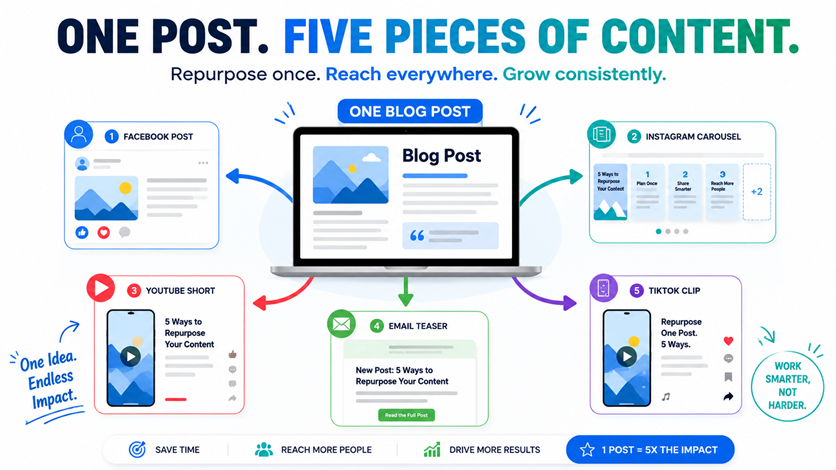
Then repurpose:
- Turn the intro into a Facebook post
- Break steps into an Instagram carousel
- Share a summary in a TikTok or YouTube Short
One post = five pieces of content.
Repurposing Prompts (for social content)
Turn your blog into multiple assets:
- Instagram carousel
“Turn this post into 5 Instagram carousel slides, using one main tip per slide.”
- Facebook post
“Turn the intro and first tip from this post into a punchy Facebook post.”
- YouTube Shorts script
“Write a 60-second talking script based on the key takeaways in this post.”
- Email teaser
“Write an email teaser that highlights the main benefit of this blog post and links to it.”
Final Thought:
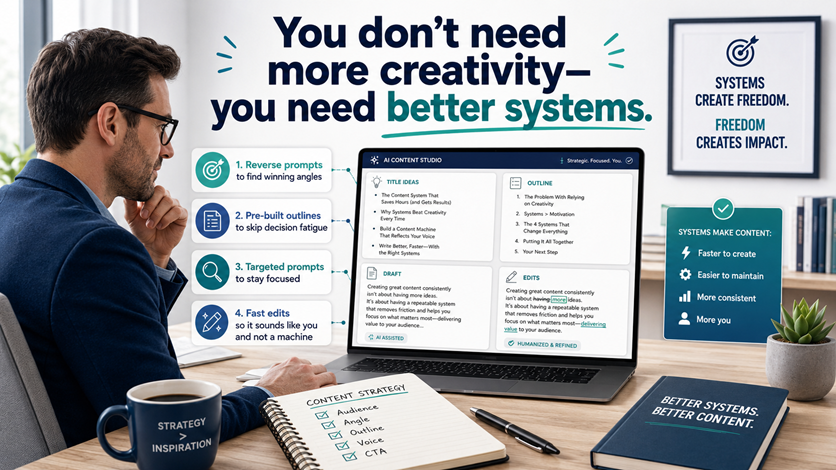
You don’t need more creativity—you need better systems.
- Reverse prompt to find winning angles
- Pre-built outlines to skip decision fatigue
- Targeted prompts to stay focused
- Fast edits so it sounds like you and not a machine
This method eliminates overwhelm and quickly builds your authority and visibility.
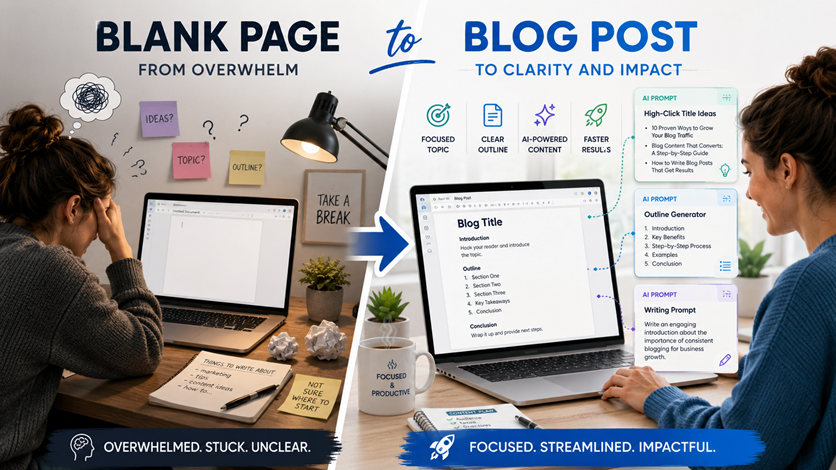
No more blank-page anxiety. Just publish smart, helpful content—quickly.
Click below to watch the Video.
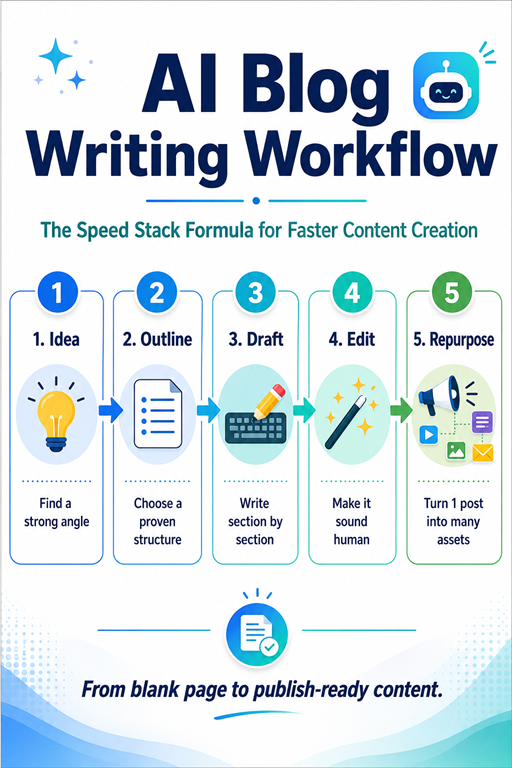
Bonus: Speed Stack Formula
A step-by-step system that stacks together the fastest, most effective prompts to create blog content quickly—without sacrificing clarity, structure, or authority.
Here’s a quick summary of the full system with reusable prompts:
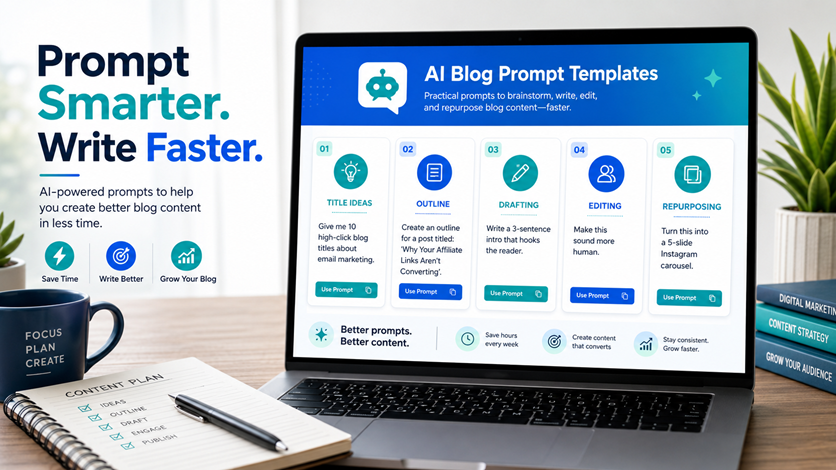
Idea → “What are 10 high-click blog titles about [TOPIC]?”
Outline → “Give me a proven blog structure for: [TITLE]”
Draft → “Write the [INTRO/STEP] that does [GOAL]”
Edit → “Make this sound more human and less robotic.”
Repurpose → “Turn this into a 5-slide Instagram carousel.”